

POST /v1/responses. Simply provide the OpenAI client with Hostlinku’s base_url, and disable tracing (tracing is exported to the OpenAI platform, not through the gateway).
How the agent loop works
Each iteration of the agent loop is a single request to the Hostlinku Gateway: the agent sends a prompt, the model responds with a tool call, the agent runs the tool locally (reads/writes files, executes commands), and then sends the results back—and so on until the model provides the final answer. The gateway routes each iteration to the upstream model, and everything is logged separately in the console → Request Log, complete with the token and associated cost.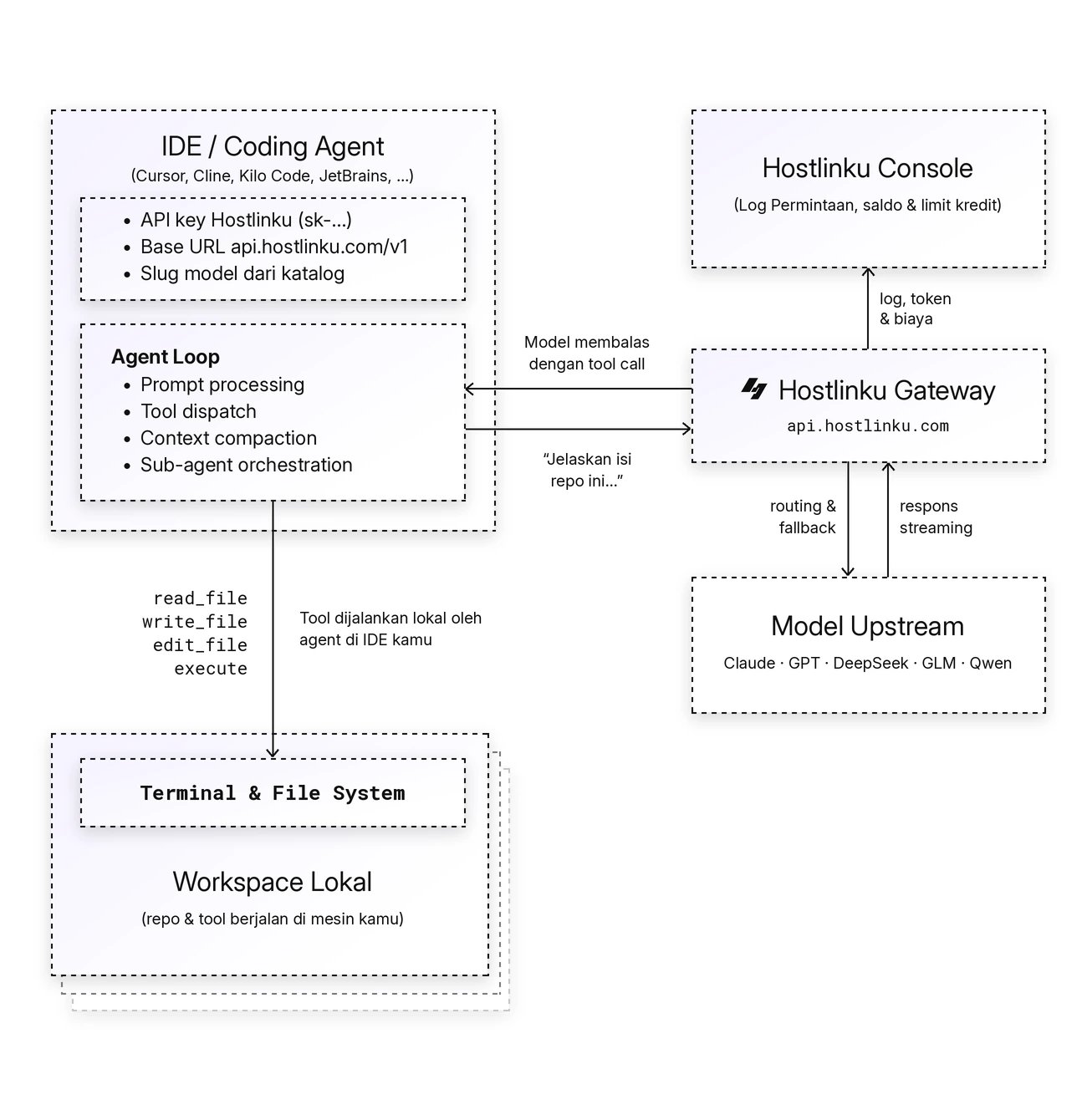
Without changing the code: environment variable
The OpenAI SDK readsOPENAI_BASE_URL and OPENAI_API_KEY, so the Agents SDK can be directed to Hostlinku without modifying the code—just disable tracing via the environment variables as well:
Responses API or Chat Completions?
The default SDK is the Responses API (/v1/responses) — recommended, as it supports reasoning items and offers the most comprehensive set of tool workflows. If you want Chat Completions (/v1/chat/completions):
Supported via the gateway
Troubleshooting
- Full error log tracing export 401 — tracing has not been disabled; call
set_tracing_disabled(True)/setTracingDisabled(true)or setOPENAI_AGENTS_DISABLE_TRACING=1. 400 previous_response_id is not supported— remove the use ofprevious_response_id/conversation_id; see the callout above.404 model_not_found—model=must be the Hostlinku slug, not the original OpenAI/Anthropic model name.