

Plan/Act Mode with Different Models
Cline can use different models for the Plan and Act modes. A common cost-effective combination: Plan =claude-opus-4-6 or gpt-5-5 (reasoning), Act = claude-sonnet-4-6 or deepseek-v4-flash (execution). Enable “Use different models for Plan and Act modes” in the settings, then enter the same provider profile with different model IDs.
Alternative: Anthropic
Cline also has a provider called Anthropic with a Use custom base URL option. Enterhttps://api.hostlinku.com (without /v1) and your Hostlinku API key. The difference: the list of models for this provider is limited to IDs recognized by Cline—select a Claude model whose slug matches the one in the Hostlinku catalog (e.g., claude-sonnet-4-6, claude-haiku-4-5). For non-Claude models or slugs not listed, use OpenAI Compatible.
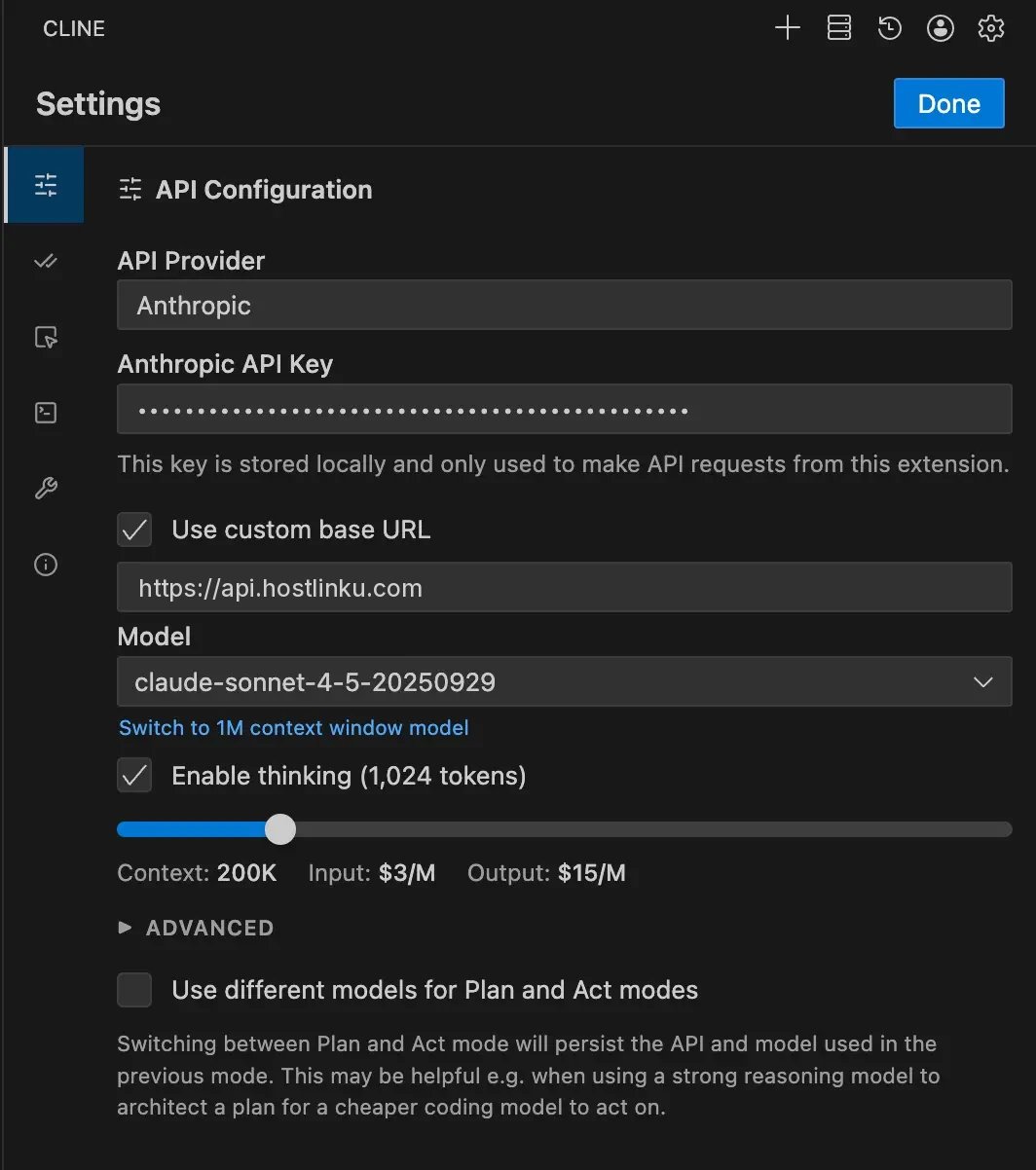
Cline CLI
Troubleshooting
401— Invalid or revoked key. In Roo Code, make sure the key is entered in the profile of the provider that is currently active, not another profile.404 model_not_found— Incorrect model ID; copy it fromGET /v1/models.404on all requests — the base URL is missing/v1(OpenAI path) or actually uses/v1in Anthropic path. Compare it to the screenshot above.- Empty response in Act mode — a model without tool calling. Use a model from the recommendations in Overview.
- Context runs out quickly — set the Context Window Size according to the catalog so that Cline truncates the history correctly.